A connected home at your own pace
Plan your first connected device
Scheduling a lamp and viewing a room are different projects. Before choosing a device, write down what you want to simplify and how people at home will use it. The linked pages present separate options with their status and limitations.
Affiliate links: JessDeals may earn a commission on qualifying purchases at no additional cost to you. As an Amazon Associate I earn from qualifying purchases.
Describe one specific use
Replace “make the home smart” with a concrete action, such as scheduling a light. Note what already works and what bothers you. If the need is simply to change a habit, first check whether a feature of your current equipment is enough.
Check the full compatibility chain
Consult the exact model’s requirements: app, phone, network and any additional equipment. Check each function you want to use separately. A compatibility logo does not mean every control is available in every app.
Distinguish the device purchase from related services
Before ordering, identify included functions and those that may depend on a subscription, account or Internet connection. For a camera, examine viewing and recording-retention options in the selected variant’s documentation. No free service or included storage is assumed here.
Plan shared use
Decide who will set up the device and how others will use it. Check access-sharing, manual-control and account-removal options. For a camera, also discuss placement and framing with the people concerned.
Plug or bulb: decide using one lamp
Write down the control you want. To schedule power, examine a plug and check that the connected device supports that use. To adjust the bulb’s colour or brightness, examine a bulb suited to the fixture. A P125M plug and an L530E bulb address different functions: buying both is not a required step.
Make a note for the light fixture
Before ordering, note the bulb base, voltage of the variant being sold, fixture constraints and any dimmer. Compare each point with the bulb manual. Also consider access to the switch: remote controls require the device to remain powered. A similar-looking photo is not enough to validate the Canadian variant.
Test the routine before equipping the whole home
Start with one room. Check control from the phone, manual use by another person and the behaviour described in the manual after a power outage. If the routine requires too many steps, adjust it before adding more devices. For network or Matter setup, follow the model and chosen platform requirements.
Key points at a glance
| Need or criterion | One option | What to check |
|---|---|---|
| Schedule an existing device | Consider a smart plug | Permitted use and electrical specifications in the instructions. |
| Change lighting functions | Consider a smart bulb | Base, fixture, app and network requirements. |
| View a room | Consider an indoor camera | Framing, access, storage and any services. |
Before ordering
- I defined a useful function for my household.
- I checked the exact model’s requirements.
- I distinguished included functions from potential services.
- I planned other people’s use and access.
Start with one need and a suitable device, then observe actual use before buying more. The plug, bulb and camera are not substitutes for one another.
Product pages and sources
Each product page states its status, linked variant and, for editorial selections, the source of its specifications.
- litokam Little Elf — indoor camera — Jess’s personal purchase
The models in this guide
Found an option that fits? Read its product page or check the model on Amazon. A selection does not mean a sale.
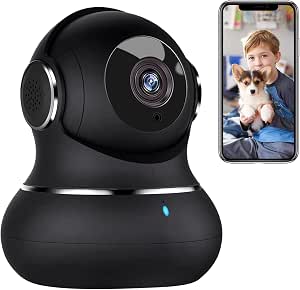
litokam Little Elf — indoor camera
2K indoor security camera with motion tracking.
Purchased by JessAffiliate link · Check the variant and terms on Amazon.
Affiliate links: JessDeals may earn a commission on qualifying purchases at no additional cost to you. As an Amazon Associate I earn from qualifying purchases.